
Every school ends up needing the same handful of documents — an ISP, an EHCP evidence bundle, a governor-ready summary — and every school currently spends hours assembling them by hand. Phoenix Ember generates all seven, with your school’s logo and colours, in one click.
- 01
Seven report types, ready from day one
Individual Support Plan (SEND White Paper 2026 compliant), EHCP Evidence Pack (a complete bundle with an auto-generated narrative), Pupil Profile (full assessment history, scores, interventions and observations), SENCO Handover Pack (a transition document for school moves), School Summary (whole-school RAG distributions, heatmaps, vulnerable-group analysis), Cohort Report (year group or custom filter analysis) and Trust Summary (cross-school headline metrics for multi-academy trusts).
- 02
Open the reports hub
The reports hub is where every report type lives, alongside a report builder for anything more bespoke. It's the same starting point whether you want a single pupil's evidence pack or a whole-school summary.
- 03
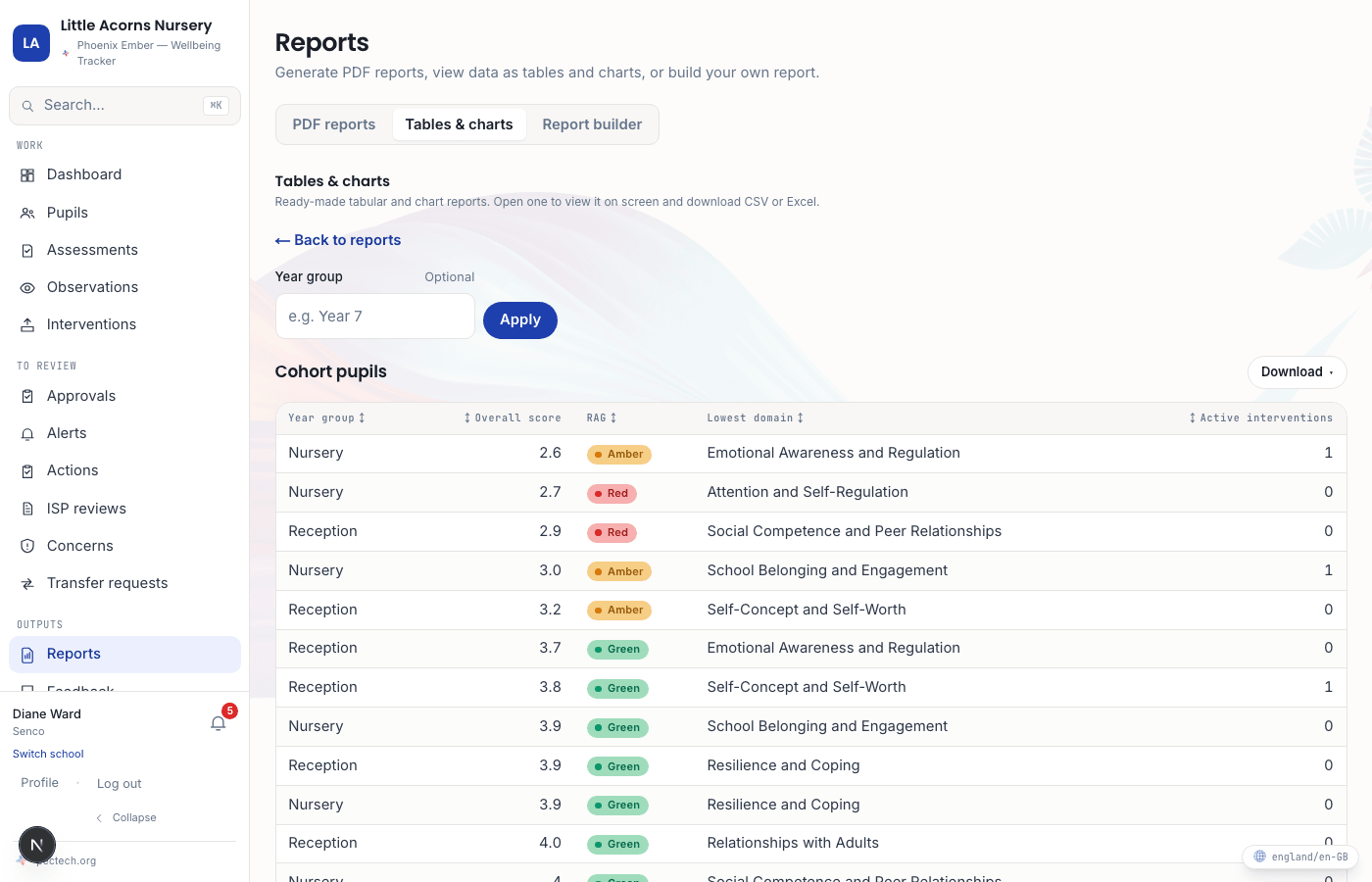
Filter the Cohort Report to your own groups
The Cohort Report can be scoped to year groups, vulnerable groups, or your own pastoral groupings — Houses, Forms, or whatever dimensions your school has set up. Combine filters to narrow to exactly the pupils you need evidence for, and the group name carries through onto the PDF so readers know what they’re looking at.
- 04
Generate, then share safely
Run the report and the PDF is ready immediately. For an operational, staff-facing view, every pupil in a selected group shows regardless of group size — that's the working record for people responsible for those pupils. For a PDF you're sharing more widely — with governors, for example — any cohort of fewer than five pupils is automatically hidden to protect individual privacy. The rule is about the audience, not the screen: the same data behaves differently depending on where it's going.
- 05
CSV and Excel too
Beyond the PDFs, individual and cohort data export as CSV or Excel, and a full-school ZIP export covers Subject Access Requests in one download.