
A pupil profile brings every key signal about that child onto one screen. Here's what each part is telling you, and how to read it quickly.
- 01
The RAG strip
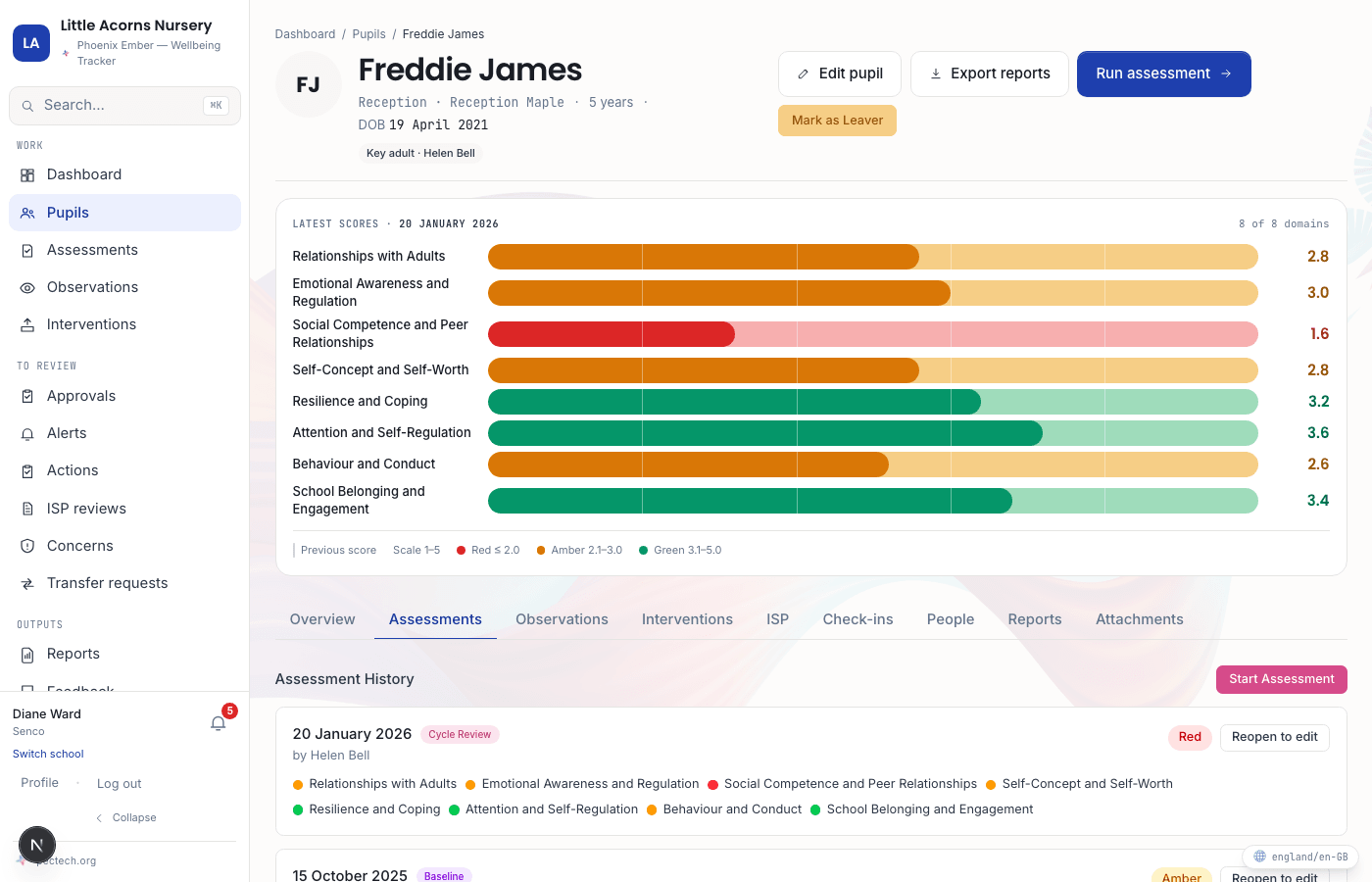
Near the top of the profile, one colour tile per domain shows the result of the most recent completed assessment. Red means the weighted score is 2.0 or below; Amber is 2.1 to 3.0; Green is 3.1 to 5.0. The single RAG shown at the very top of the profile is the worst individual domain result — the "headline" figure is deliberately the one that needs attention, not an average that could hide it.
- 02
Whether things are moving, and which way
Alongside each domain tile, a change indicator shows whether that domain has improved, declined, or stayed the same since the previous assessment. A blank value simply means there's no earlier assessment yet to compare against — the first check-in for any pupil always starts here.
- 03
Active interventions and support plan status
The profile shows how many interventions are currently assigned to this pupil, and whether an Individual Support Plan (ISP) is active. You don't need to leave the profile to know whether support is already in place — the detail is one tab away if you need it.
- 04
Recent observations and assessment history
Below the headline figures, a running history shows observations logged by any staff member with access to this pupil, and every past assessment result, in date order — the trajectory over a term or a year, not just today's snapshot.
- 05
Open concerns, alerts, and the last check-in
An open concern count and an alert count flag anything that currently needs a response. Below that, the date and score of the pupil's most recent daily check-in shows how they're doing right now, not just at their last full assessment.